What if the biggest threat to your customers’ data isn’t a hacker, but an everyday CS workflow?
CS teams work inside CRMs, helpdesk tools, dashboards, spreadsheets, email threads, and third-party integrations. That gives them constant access to account details, usage data, support history, renewal context, and customer contacts.
A customer data leak does not need to start with a cyberattack. An open spreadsheet link, a forwarded email, an over-permissioned integration, or a compromised CSM account can expose sensitive customer information.
This guide explains where customer data leak risk shows up in CS workflows, how to reduce it, and what to do if something goes wrong.
What is a customer data leak in SaaS?
A customer data leak in SaaS happens when customer information is exposed, shared, downloaded, stored, or accessed outside approved systems.
It does not always involve a cyberattack. CS-related leaks often come from open spreadsheet links, forwarded account details, shared passwords, over-permissioned integrations, exported customer lists, or former employees who still have access to customer records.
Preventing customer data leaks starts with knowing where customer data lives, who has access to it, which tools move it, and whether the CS team has a clear process for handling it safely.
Why Customer Data Protection Is Critical for SaaS
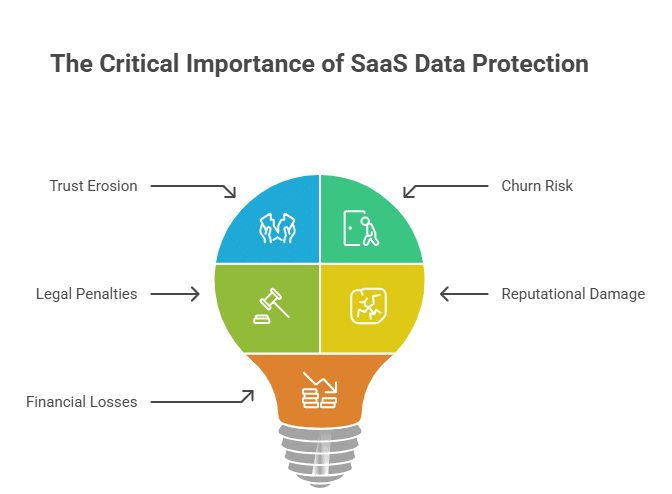
Trust Erosion, Churn Risk, and Legal Penalties
SaaS is a trust business. Customers give you their workflows, user data, and operational details. They do that assuming it stays private. When something goes wrong, the damage runs wider than just the account involved.
The referral they planned to give, the case study they agreed to, the expansion conversation already on the calendar, all of it disappears with it. Many CS teams rely on workflow automation tools to manage customer touchpoints efficiently.
However, without the right security controls wrapped around those workflows, every automated action becomes another potential exposure point.
On top of that, the legal exposure is real:
| Regulation | Core Obligation | Penalty |
|---|---|---|
| GDPR | Lawful processing plus 72-hour breach notification | Percentage of global annual revenue |
| CCPA | Right to know, delete, and opt out | Heavy fines per intentional violation |
| SOC 2 | Documented security controls | Lost certification, blocked enterprise deals |
Being a smaller company used to mean flying under the radar. That’s not the case anymore. Regulators have gone after SaaS companies of all sizes, and the logic that smaller companies don’t matter doesn’t hold up the way it once did.
Business Impact: Reputational and Financial Damage
The fines are the part everyone talks about. What hits first is everything before the fine: legal counsel, forensic work, customer notifications, credit monitoring obligations, and communications cleanup. Then you start losing accounts from customers who decide they’d rather not wait and see. Beyond immediate recovery costs, organizations sometimes reassess how they allocate budgets across security improvements and broader operational priorities to avoid slowing critical initiatives.
In practice, these situations often highlight how quickly unplanned operational expenses can appear when organizations are forced to react rather than prepare. Beyond immediate remediation, organizations often balance additional security investments against ongoing business commitments and may review practical approaches to managing temporary cash flow while keeping recovery efforts moving forward
Six figures is a realistic starting point for a mid-market SaaS company dealing with a serious breach. The revenue hit from damaged trust takes longer to show up in the numbers and longer still to recover.
The CS Team’s Role in Data Security
How CS Teams Handle Sensitive Data Daily
On any given day, a CSM has a CRM open with full contact and account records, a helpdesk showing billing disputes and internal customer workflow details, a usage dashboard pulling live product data, and an email thread with a contract somewhere in the chain.
That’s a significant amount of sensitive information passing through one person’s hands, usually with far lighter controls than what engineering works under.
Why CS Is Often the Weakest Link and How to Fix It
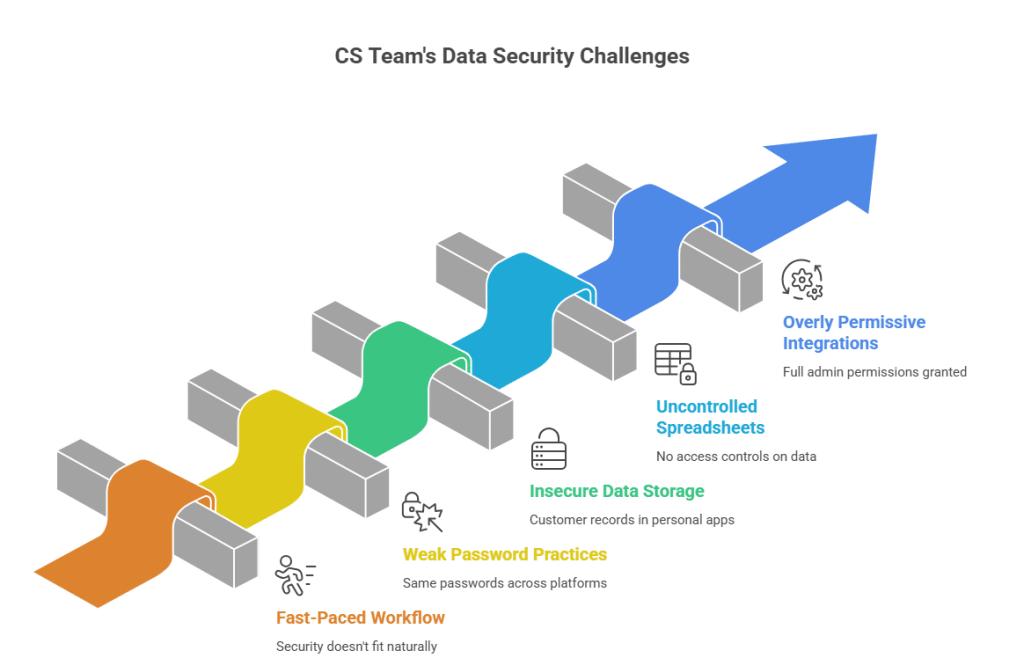
CS moves at a pace. Account juggling, escalation handling, QBR prep, customer emails, it’s a lot going on at once. Security doesn’t fit naturally into that flow, and most companies never deliberately put it there.
What you get instead:
- Same passwords across multiple platforms
- Customer records pasted into personal note apps
- Spreadsheets doing the job of a CRM with no access controls on them
- Integrations set up with full admin permissions because scoping them properly felt like extra work
When something breaks, and the trail gets followed back, CS is usually where the gap shows up. This is because nobody built security into how they work day to day.
The answer is fixing the workflow itself through role-based access, centralized data, and access reviews that happen on a real schedule.
CS as the First Line of Customer Trust
CS is closer to customers than anyone else in a company. As customer experience trends continue to evolve, the expectations customers bring to every interaction are rising too, and that includes how their data gets handled.
CS is usually first to notice when something seems wrong, and best placed to handle the conversation if something does happen. Owning the risk also means owning what comes after.
Common Ways Customer Data Gets Leaked in SaaS
- Third-party integrations with too much access: Every connected tool in your CS stack is a possible exposure point. If a vendor has access to data they don’t need and they get hit, your customer data is a part of the damage. Most teams configure integrations once and never go back to check permissions.
- Permissions nobody reviewed: Handing out admin access across the board feels easier at that moment. It becomes a problem when any of those accounts gets taken over.
- Phishing is hitting CS inboxes: CS reps get a constant stream of external email. A message that looks like it’s from a customer or a familiar vendor can take credentials in under a minute. Experienced and careful people fall for well-crafted phishing attempts regularly.
- Data walking out the door: Someone leaving a company pulls an account list before their last day. A contractor keeps access to a shared folder well past their project end date. It doesn’t need to be intentional to cause a real problem.
- Logs nobody cleaned up: Customer data ends up in error logs and debugging outputs more often than you realize. If those logs sit accessible to third-party tools, or just never get purged, they leak quietly for months.
- Data is spread everywhere: Drive folders, personal spreadsheets, forwarded emails, and Notion pages. When customer data resides in all of these at once, there’s no real perimeter around any of it. Anyone with the right link gets in.
How to Prevent Customer Data Leaks: Step-by-Step
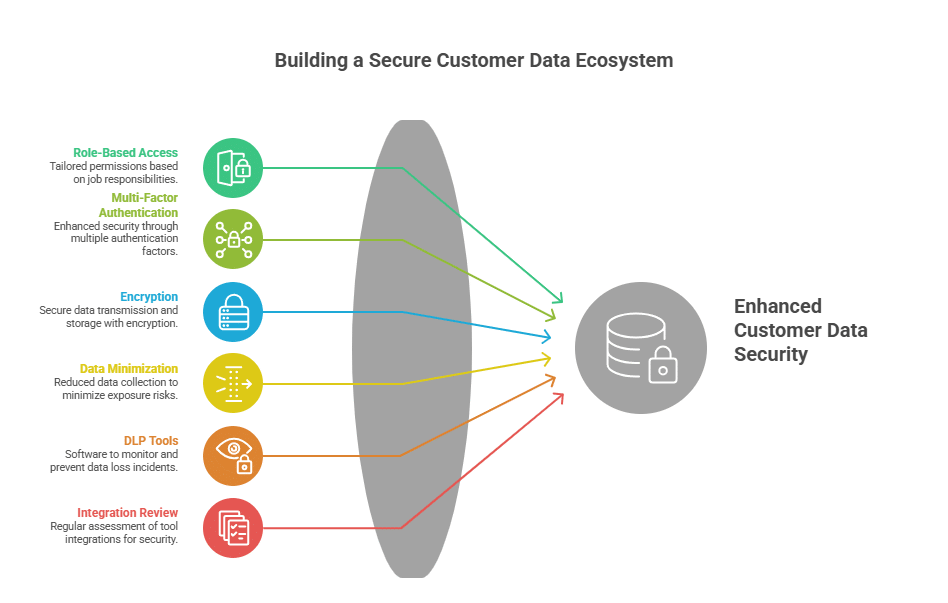
- Set up proper role-based access: A junior CSM doesn’t need billing records. An onboarding specialist doesn’t need full churn history. Match access to job requirements, and update permissions when someone changes roles or leaves.
- MFA on everything, no exceptions: Passwords get reused. They get phished. They show up in credential dumps from unrelated breaches. Multi-factor authentication stops most of that, and it has to apply to every tool a CS team logs into.
- Check that encryption is in place: Data moving between systems needs TLS. Data sitting in storage needs encryption at rest. Don’t assume a vendor has this handled. Ask them directly, and if the answer is unclear, escalate it.
- Collect less data: If a connected tool pulls 40 customer fields and your team uses 10 of them, cut the scope down. The data you don’t store is data that can’t get exposed. GDPR calls this data minimization. Every security team calls it common sense.
- Use DLP tools: Data loss prevention software watches how sensitive data moves across systems. It catches large exports, PII going out over email, and data heading somewhere it shouldn’t. A lot of CS platforms include this natively or connect to dedicated tools that do. If yours doesn’t have it built in, it’s worth adding to your security stack before something slips through.
- Review integrations every quarter: Go through everything connected to your CS stack. Ask whether each tool still needs the access it has. Trim permissions where you can. Cut integrations that nobody actively uses anymore. A dormant integration nobody checks is a door nobody locked.
- Centralize everything in one tool or CS platform: This is the change that closes more gaps than anything else on this list.
Customer data sitting across Google Drive folders, spreadsheets shared with open links, and a chain of forwarded emails has no real security around it.
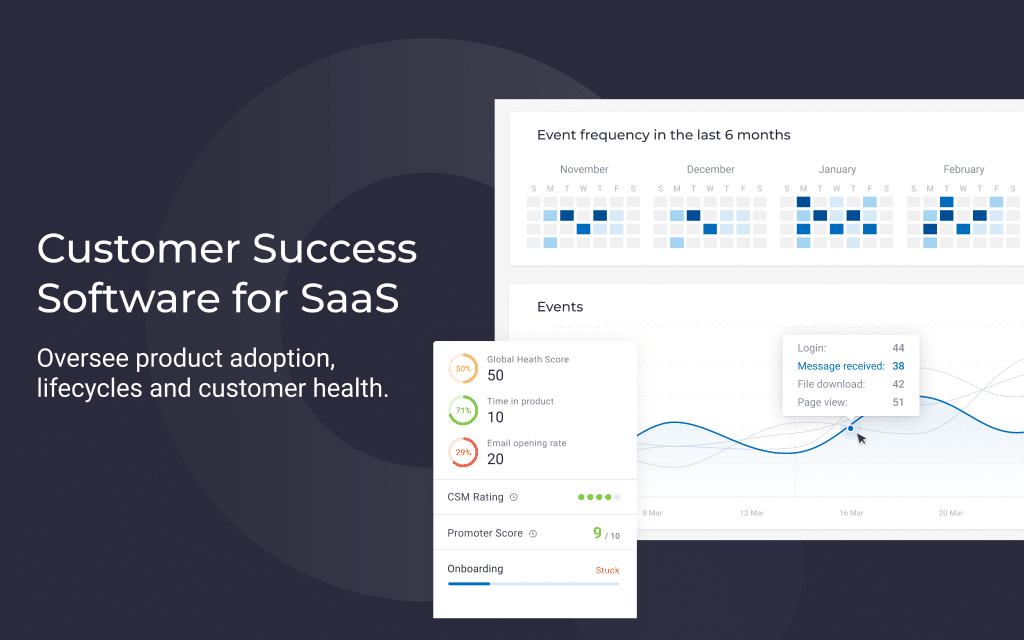
A purpose-built platform like Custify changes the picture entirely. A centralized customer success platform creates a single source of truth for sensitive customer data. This makes monitoring, auditing, and access management far easier for both CS and IT teams.
It provides one place for CS to work from. IT can see what’s happening with customer data. Permissions sit in one place, and access gets logged. A lot of the teams that moved to Custify were coming from the spreadsheet setup, data scattered across personal folders, no controls, no visibility. Centralizing fixed gaps that had been open for a long time without anyone flagging them.
Where a customer success platform helps
Customer data leaks often happen because CS work spreads across too many tools. Account notes live in docs. Renewal context sits in inboxes. Product usage is exported into spreadsheets. Follow-up tasks stay in personal task managers.
A customer success platform reduces that spread by giving CS teams one place to manage account context, health, tasks, notes, playbooks, and follow-ups.
Custify helps CS teams reduce scattered customer data by centralizing account work in one customer success platform. Teams can manage account context, customer health, usage signals, tasks, and follow-ups without relying on uncontrolled spreadsheets or disconnected notes.
This does not replace security tools like DLP, IAM, SIEM, or endpoint protection. It gives CS teams a cleaner operating system, so sensitive customer context is less likely to be copied into places nobody can review later.
What To Do If a Data Leak Occurs
Identifying Early Warning Signs of a Data Leak
Watch for logins showing up from unexpected locations or at odd hours. Pay attention when a customer reaches out because they received someone else’s data. Notice when an integration starts pulling outside its normal data range. Flag when a rep is accessing records from accounts nowhere near their portfolio.
Immediate Steps to Limit the Damage and Notify the Right People
Cut access to whatever system or account is involved right away. Write down what you know, what happened, what data was touched, and the timeline as you can piece it together. Get legal and your security team in the conversation immediately.
Look at your notification requirements before assuming you have breathing room. GDPR gives you 72 hours to notify a supervisory authority when personal data comes into question. Keep logs intact and don’t touch systems until the investigation is over.
How to Communicate With Affected Customers and Prevent It From Recurring
Tell what happened, which data was involved, what you’ve already done, what the customer needs to do, if anything, and what’s changing going forward.
According to IBM’s Cost of a Data Breach Report 2025, the average global cost of a data breach sits at $4.4 million, and a significant chunk of that comes directly from lost business and customer churn.
The companies that keep accounts after a breach are almost always the ones that came out straight with it. Customers notice when the priority is protecting the company over protecting them. Don’t be that company.
When it’s contained, do a real post-incident review. Find where the control failed, fix it, and document it before closing the incident out.
Best Practices Checklist for CS Teams
Go through this every quarter rather than once at onboarding and never again.
Access and authentication
- RBAC is set up across every CS tool in use
- MFA running for every team member on every platform
- Access permissions are updated when roles change or people leave
- No shared passwords anywhere on the team
Data handling
- Encryption confirmed in transit and at rest
- Integrations are limited to only the fields the team needs
- No customer data in personal apps or open spreadsheets
- Retention policy is written down and followed
Integrations
- All active integrations are reviewed every quarter
- Unused integrations removed
- Third-party vendors checked for current security standards
- Logs reviewed for any unintended PII sitting in them
Response readiness
- Incident response plan written and shared with the team
- Phishing recognition training is done at least once a year
- Escalation path clearly defined for suspected breaches
- Post-incident review process in place before you need it
Centralization
- All customer data lives in one CS platform
- No active spreadsheet CRM tracking sensitive information
- Audit trail in place and reviewable
Data Security Is an Ongoing Responsibility, Not a One-Time Fix
Customer success and solid data security originate from the same place: genuinely caring about the people you work with.
The teams that handle this well aren’t the ones who passed a compliance audit once. They’re the ones who sat down, looked honestly at how their workflow runs, and asked where the holes are before a customer or a regulator found them first.
Run the audit. Fix what comes up. Pass this along to whoever on your team needs to read it.
If you’re looking for a single platform that gives your CS team and IT full visibility over customer data streams, Custify can help you. It’s purpose-built for customer success teams who want to work smarter without leaving security gaps wide open.